If you have ever overslept because your iPhone alarm not going off, you know how frustrating it can be. Usually, this means the alarm is silent, too quiet, delayed, or not triggering at all.
Users often search for solutions after an iOS update, when Sleep Focus is on, when Bluetooth is connected, or when the phone is using Face ID attention-based volume reduction. This comprehensive guide will explain why your iPhone alarm is silent and provide official troubleshooting steps to fix it.
Common Symptoms of iPhone Alarms Not Working
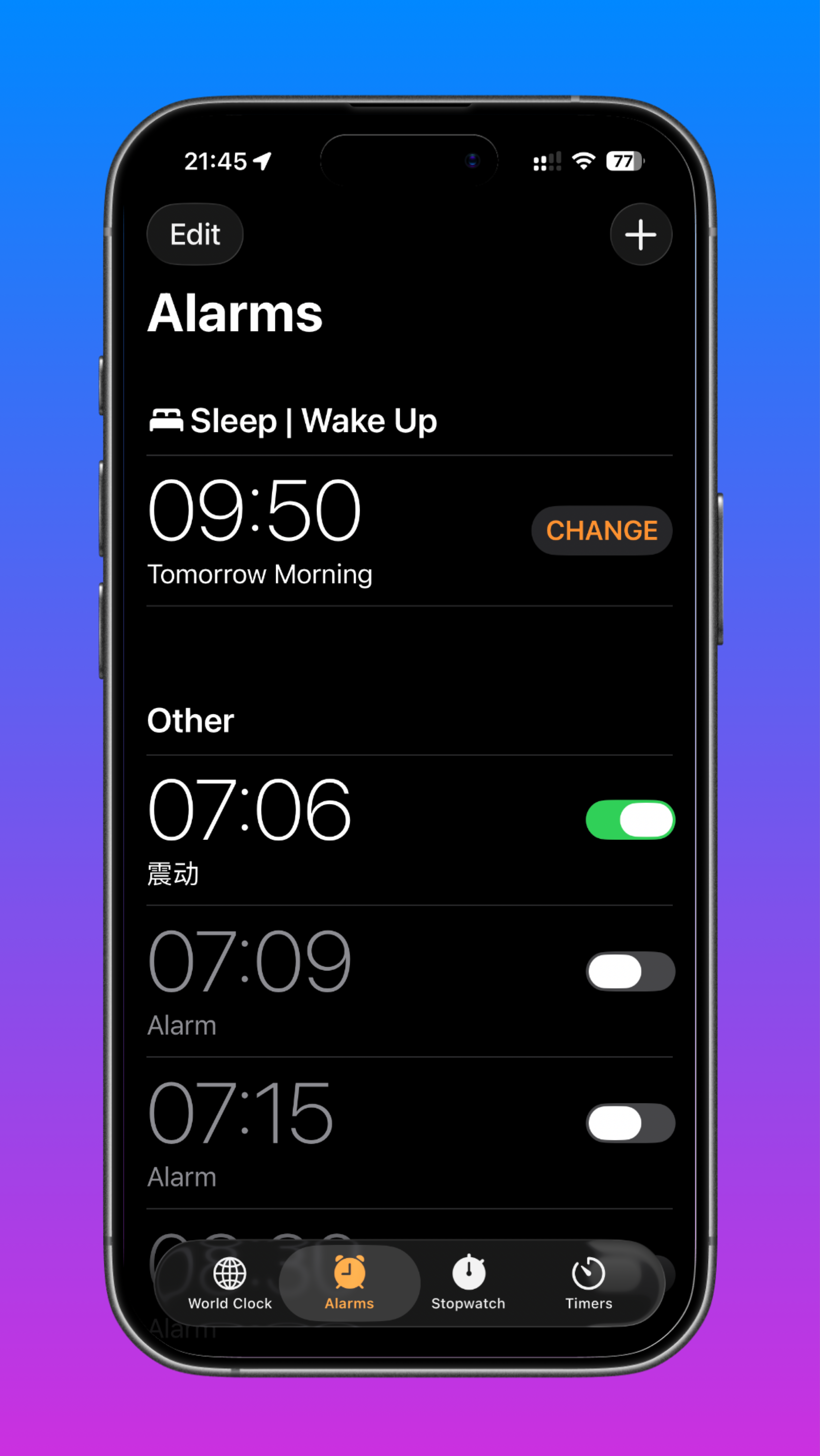
Before diving into the fixes, identify which of these common symptom phrases matches your situation:
- The alarm does not go off.
- The alarm goes off silently.
- The screen lights up but there is no sound.
- The alarm is too quiet.
- The alarm works sometimes but not always.
- The alarm stopped working after an iOS update.
- The alarm sound plays through Bluetooth instead of the phone speaker.
Top Reasons Why Your iPhone Alarm is Silent
Understanding the common causes can help you quickly pinpoint why your iPhone alarm is not working.
Attention Aware Features
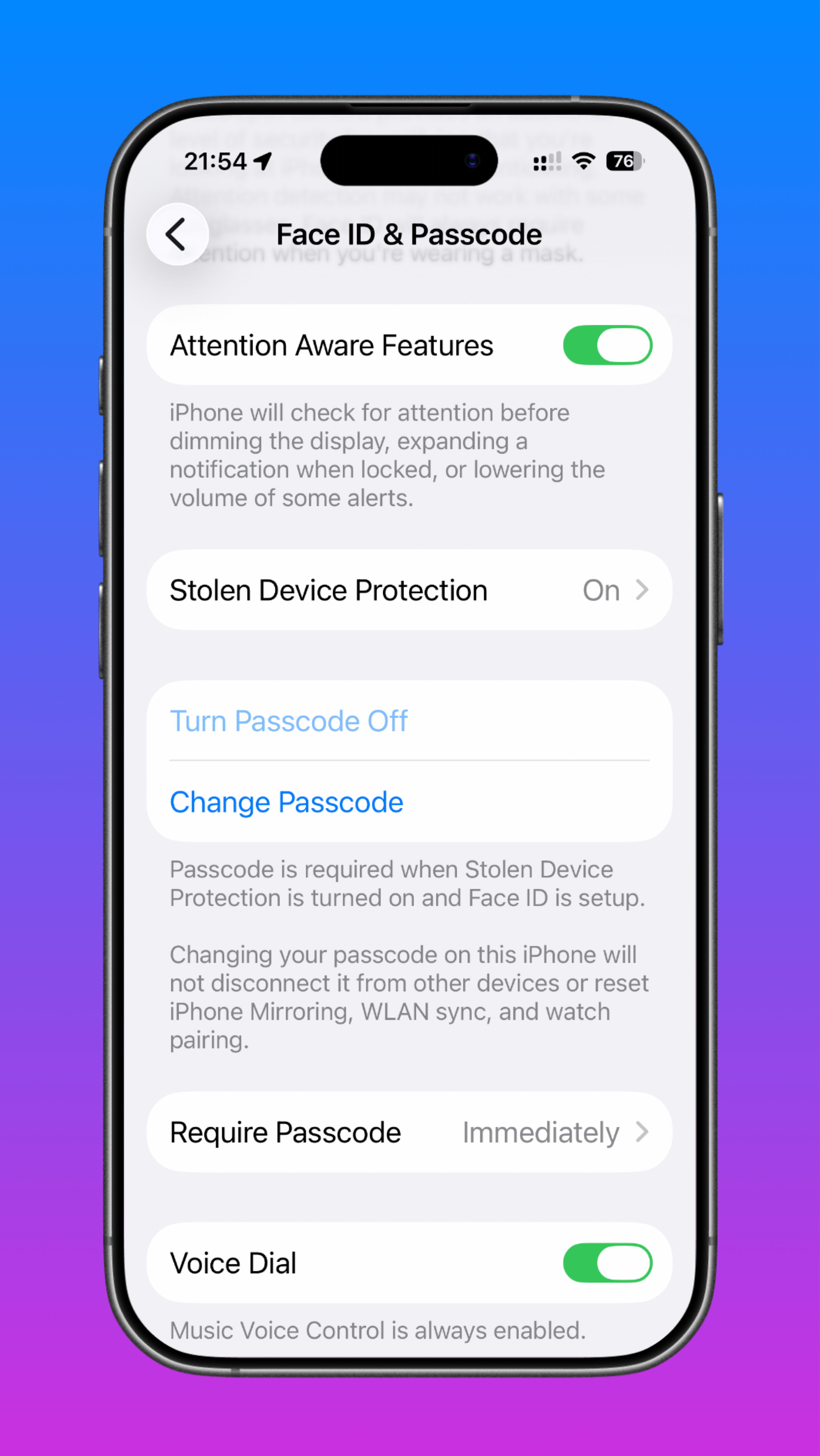
Apple's Face ID devices can lower alert volume when they detect that you are looking at the screen. Apple says this feature can reduce the volume of alerts, which is a leading reason why the alarm is too quiet.
Low Ringer and Alerts Volume
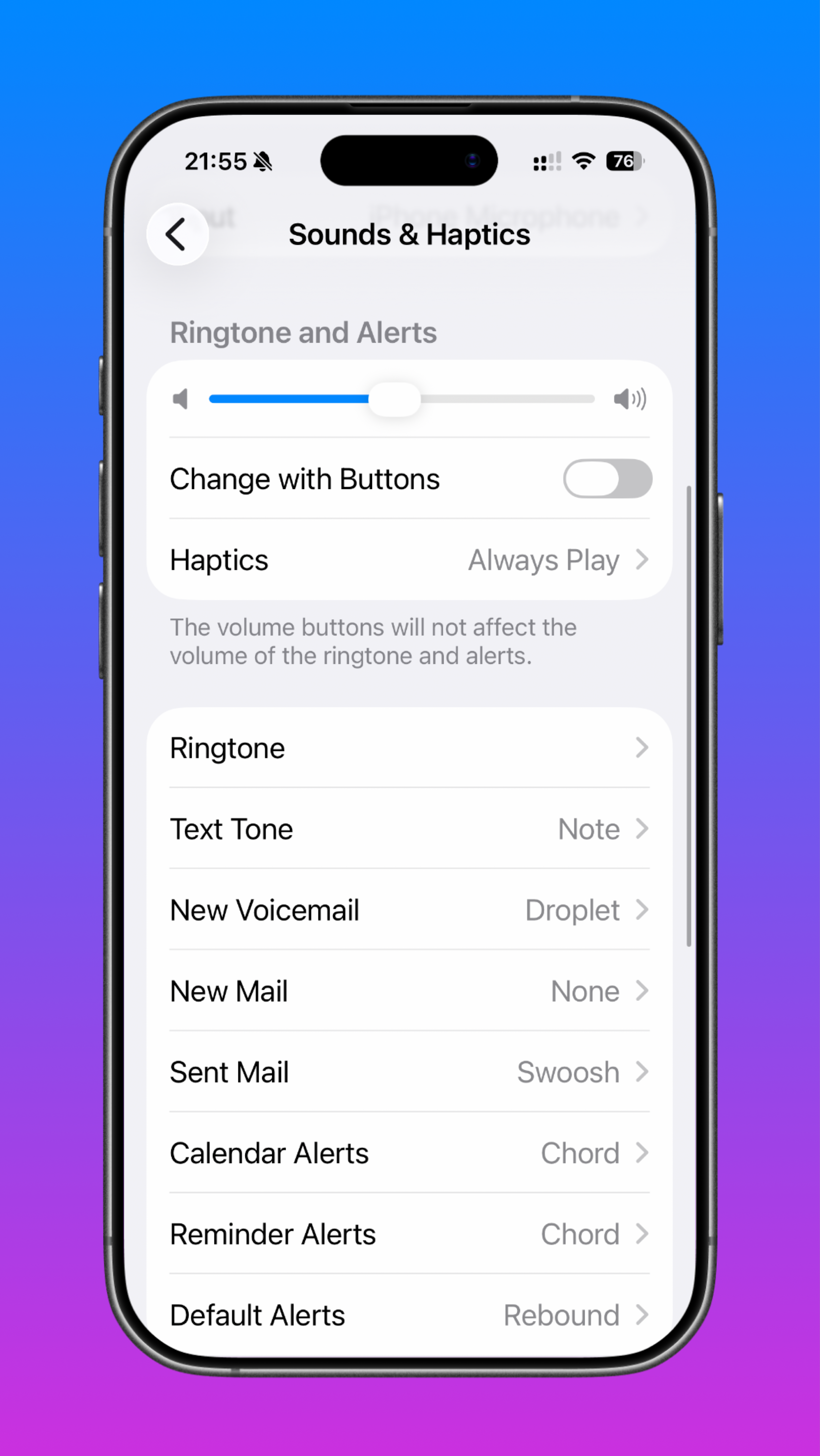
A low Ringer and Alerts setting can make the alarm too quiet to hear. If this volume is turned down, it directly affects alarm loudness.
Sleep Focus and Do Not Disturb
Sleep Focus and Do Not Disturb should always be checked when alarms stop working. These modes may interfere with alarm behavior or make it seem like the alarm is not working at all.
Incorrect Alarm Settings
The alarm may be set incorrectly. Common mistakes include choosing the wrong AM/PM time, setting the wrong repeat schedule, or accidentally leaving the alarm sound set to None.
Bluetooth Device Routing
Bluetooth-connected audio devices can absorb alarm sound, making it seem like the alarm failed. Devices can route alarm audio to headphones, earbuds, speakers, or a car system instead of the iPhone speaker.
Software Glitches & Post-Update Bugs
A temporary software glitch or post-update bug may affect alarms. If the issue started after an update, a restart or iOS update may help.
Step-by-Step Troubleshooting: How to Fix Your Alarm
Follow these official troubleshooting steps to get your alarms working correctly again.
1. Turn Off Attention Aware Features
Go to Settings > Face ID & Attention and turn off Attention Aware Features. This prevents the iPhone from lowering the alarm volume when you look at it.
2. Increase Ringer and Alerts Volume
Go to Settings > Sounds & Haptics and increase the Ringer and Alerts volume slider.
3. Verify Clock App Settings
Open the Clock app and confirm the following:
- The alarm time and AM/PM selection.
- The repeat days schedule.
- The snooze settings.
- Crucial: Make sure the alarm sound is not set to None.
4. Check Focus Modes
Turn off Do Not Disturb and check whether Sleep Focus is active. Apple provides official guidance for turning Sleep Focus on or off if you are unsure how to manage it.
5. Disconnect Bluetooth Audio
Disconnect Bluetooth devices and test the alarm again to ensure the sound isn't playing through paired headphones or speakers.
6. Check the Physical Switch
Check the silent switch (Ring/Silent switch) on the side of the iPhone.
7. Restart and Update
- Restart the iPhone to clear temporary glitches.
- Update iOS to the latest version if the problem stopped working after an iOS update.
8. Reset All Settings
If needed, try Reset All Settings after backing up important information. Apple has official instructions for resetting iPhone settings to their defaults, and it is commonly used as a final troubleshooting step.
Frequently Asked Questions (FAQ)
Why is my iPhone alarm not going off?
Common causes include low volume, incorrect alarm settings, Focus mode, Bluetooth routing, Attention Aware Features, or a software glitch.
Why is my iPhone alarm silent but the screen turns on?
This can happen if the alarm sound is set too low, the sound is set to None, or the alert volume is being reduced by Attention Aware Features.
Does Sleep Focus affect alarms?
Yes. Sleep Focus can make alarms seem inconsistent, so it should be checked whenever alarms are not sounding properly.
Can Bluetooth cause iPhone alarms to not be heard?
Yes. If audio is routed to a connected device, the alarm may play through headphones or a speaker instead of the iPhone.
Will resetting all settings delete my alarms?
Apple provides a reset settings option that restores settings to defaults, and it is commonly used as a troubleshooting step. However, it is always recommended to back up your device first.